App design — Dr. Dropin
Dr. Dropin's app was growing faster than its UX could keep up — visual inconsistencies, unnecessary steps in the patient journey, and navigation patterns that broke mobile conventions were creating friction for thousands of daily users. Dr. Dropin is a Norwegian primary healthcare provider offering in-person and video consultations, and one of the fastest-growing health apps in Norway.
My Role
UX/UI Designer (sole designer)
Duration
2023
Team
1 front-end developer
1 back-end developer
Why this was hard
Live product, no blank slate
Thousands of active patients were using the app every day. Every change had to ship without disruption — there was no room for a clean-slate redesign.
Tiny team, no PM
Just me and two developers. I owned the design process end-to-end: research, prioritisation, prototyping, and handoff — without a product manager in the loop.
Healthcare means no ambiguity
In a medical context, unclear UI isn't just a friction problem — it's a patient safety risk. Every screen had to meet WCAG standards and communicate its purpose unambiguously.
Iterative scope, not one big launch
This wasn't a single redesign shipped at once. Improvements were rolled out continuously across multiple releases — requiring constant prioritisation of what to fix next.
What I changed
Rather than fixing screens one by one, I identified three areas where design decisions would have the widest downstream impact.
01
Established design principles for a product that had none
Before redesigning a single screen, I defined the principles that would govern every decision going forward. Without a shared framework, each sprint risked introducing new inconsistencies.
One of the most impactful principles in practice was designing for reach. Mobile interactions should be completable within the lower ⅔ of the screen — where thumbs actually land. This sounds obvious, but the existing app had critical actions placed in zones that required two hands or repositioning the device.
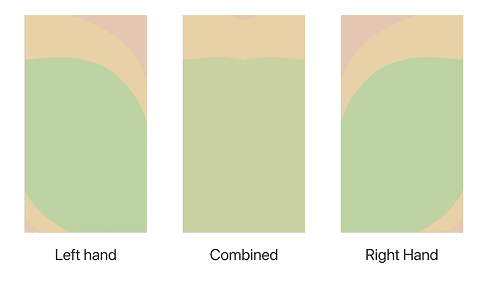
Reach analysis — Interactive elements mapped into zones naturally reachable without repositioning the device

Patient journey map — Screens and decision points laid out before any high-fidelity work began
02
Redesigned the patient journey end-to-end
The booking flow was where most patients spent most of their time — and where the existing app created the most friction. I restructured the journey from homepage to confirmation: removing redundant steps, reordering information to match how patients actually think, and making primary actions impossible to miss.
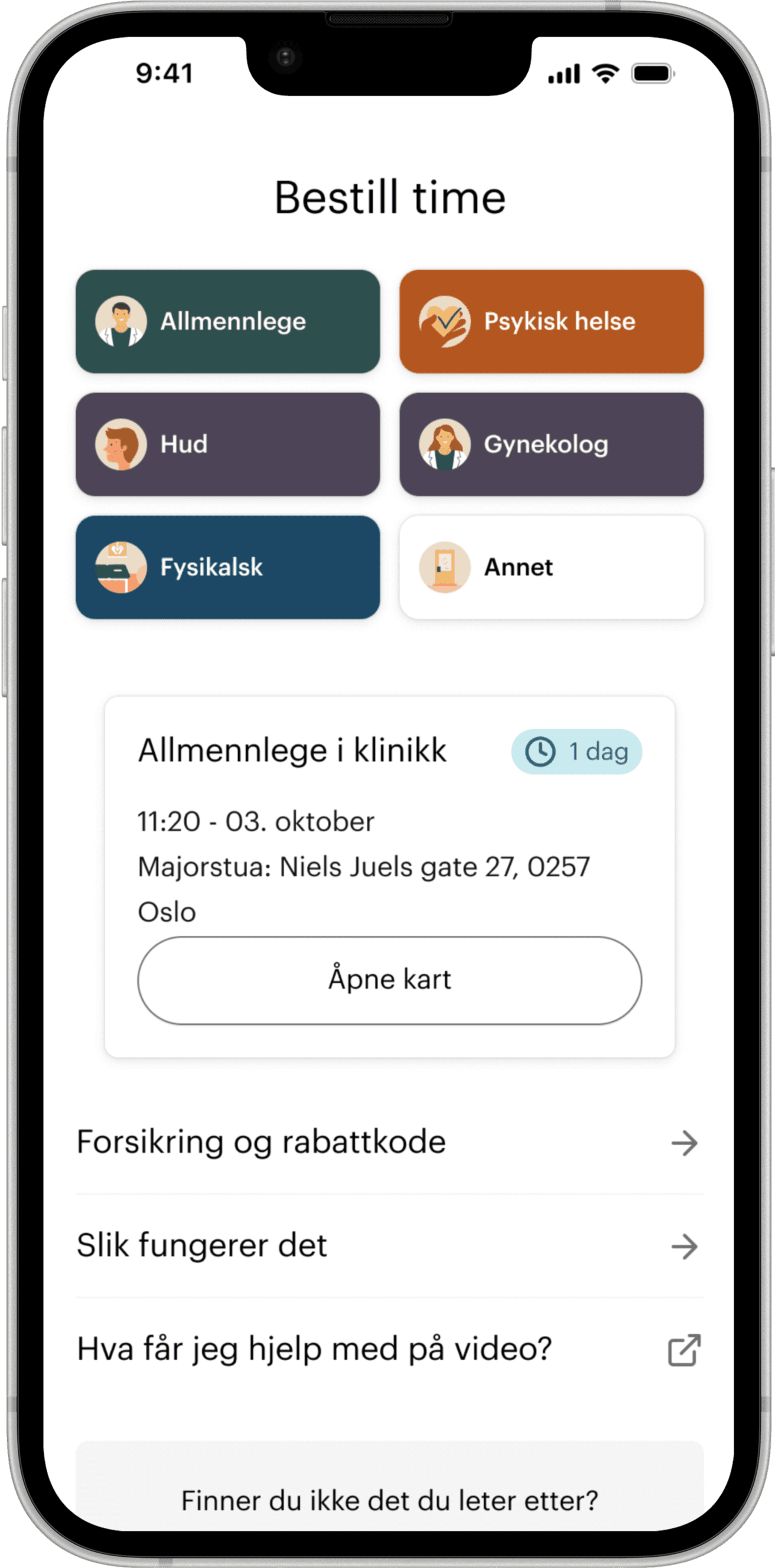
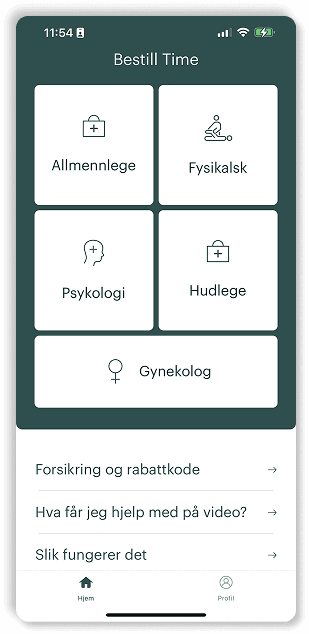
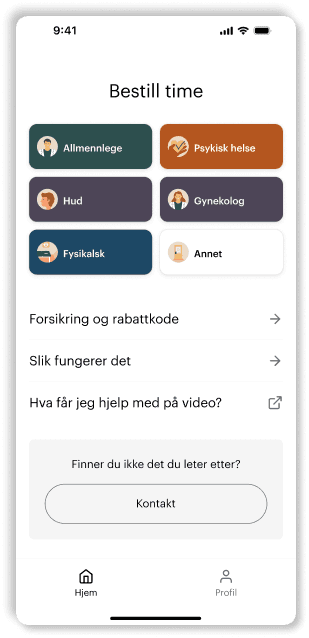
Homepage: from cluttered to clear
The original homepage buried the booking entry point behind promotional content and inconsistent visual hierarchy. The redesign leads with the primary action, establishes a clear visual language, and removes elements that were competing for attention without adding value.
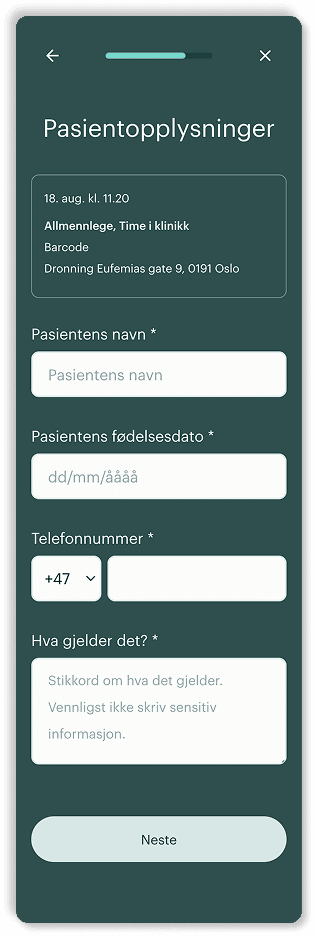
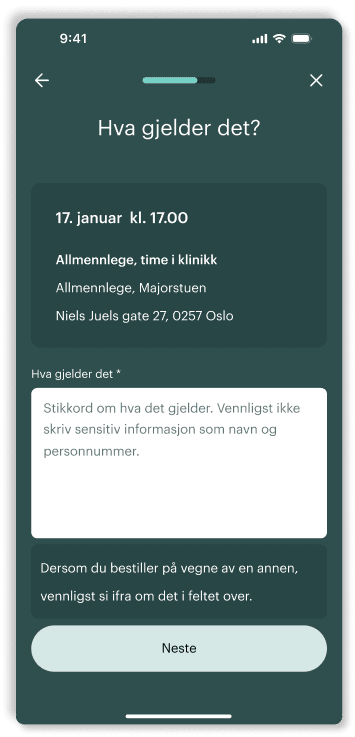
Patient information: fewer steps, sharper purpose
The patient information flow asked too much, too early. I removed unnecessary steps, surfaced the most important question "What is the appointment about?" at the right moment in the journey, and restructured the screen hierarchy so patients always knew what was expected of them and why.
03
Built a testing practice into a team that didn't have one
The team had no established process for testing designs with real users before shipping. I changed that. Over the course of the project I ran three rounds of usability testing — each with a deliberately different participant profile — and used the findings to drive iteration rather than validate assumptions.
Young, tech-savvy users
The first round used participants with high technical proficiency — a deliberate starting point to establish a performance baseline and surface structural navigation problems that even confident users encountered. This round confirmed the core information architecture was sound, but revealed that certain secondary actions were invisible unless explicitly looked for.
Broader age and proficiency mix
The second round expanded the participant pool to include a wider range of ages and digital comfort levels. Users who weren't instinctive smartphone users exposed assumptions baked into the layout — elements that tech-savvy users decoded by habit were genuinely confusing to everyone else. Several interaction patterns were restructured as a result.
Working prototype — not just Figma
The final round tested a live prototype of the app rather than a Figma file. This surfaced a different category of issue: interaction timing, real device behaviour, and micro-transitions that read fine in a prototype but created hesitation in the actual product. Specific results are covered by NDA — but this round produced the most actionable findings of the three.
The result
The redesign shipped iteratively across multiple releases, with approximately 4,000 patients onboarded to the updated experience (precise figures are under NDA). Beyond the patient-facing improvements, the project left two lasting process changes behind: a set of six design principles now shared across the team, and a user testing practice that didn't exist when I joined.
I introduced the first structured design process and user testing practice for the mobile product team — changing not just the interface, but how the team makes design decisions.
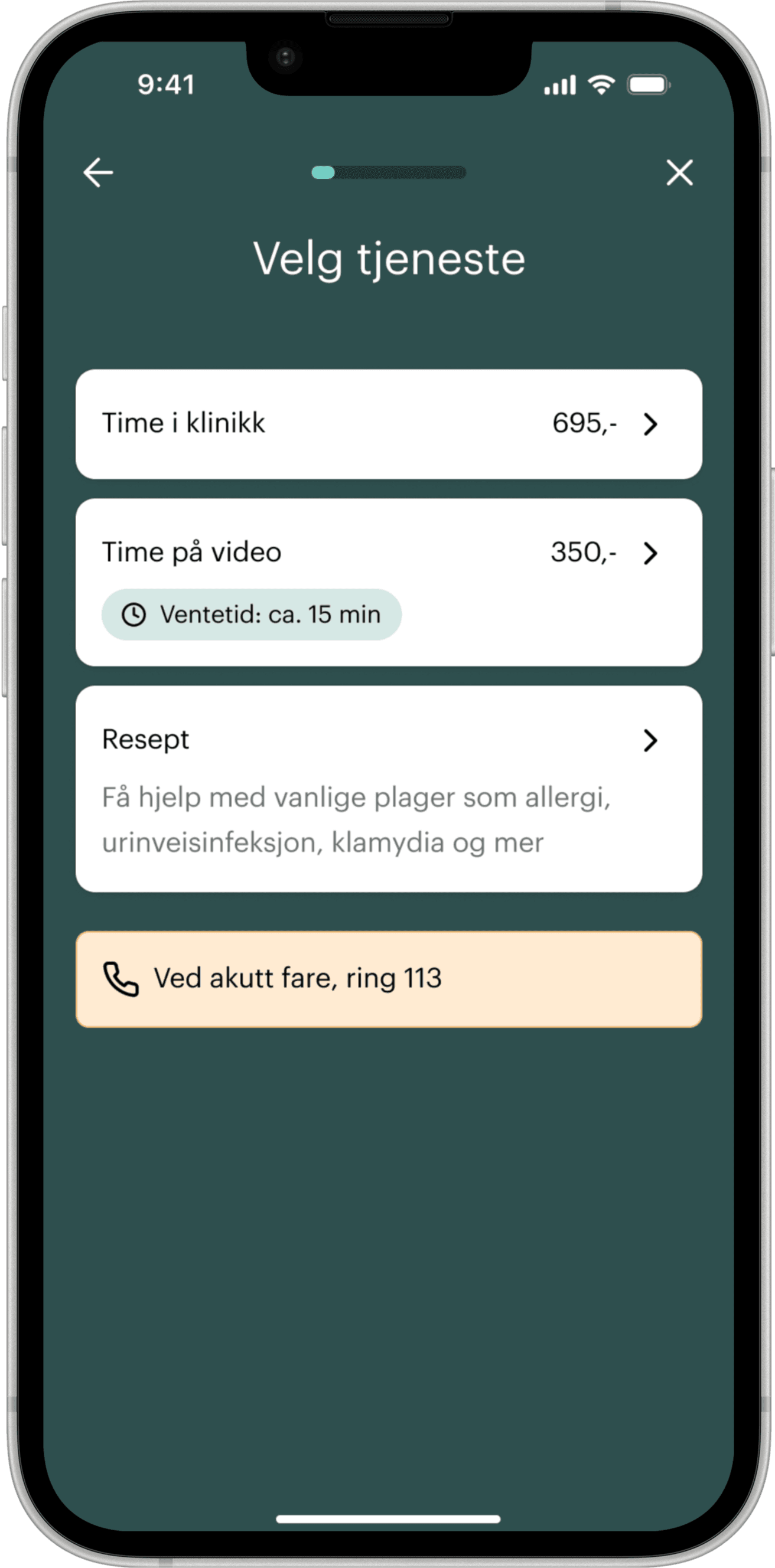
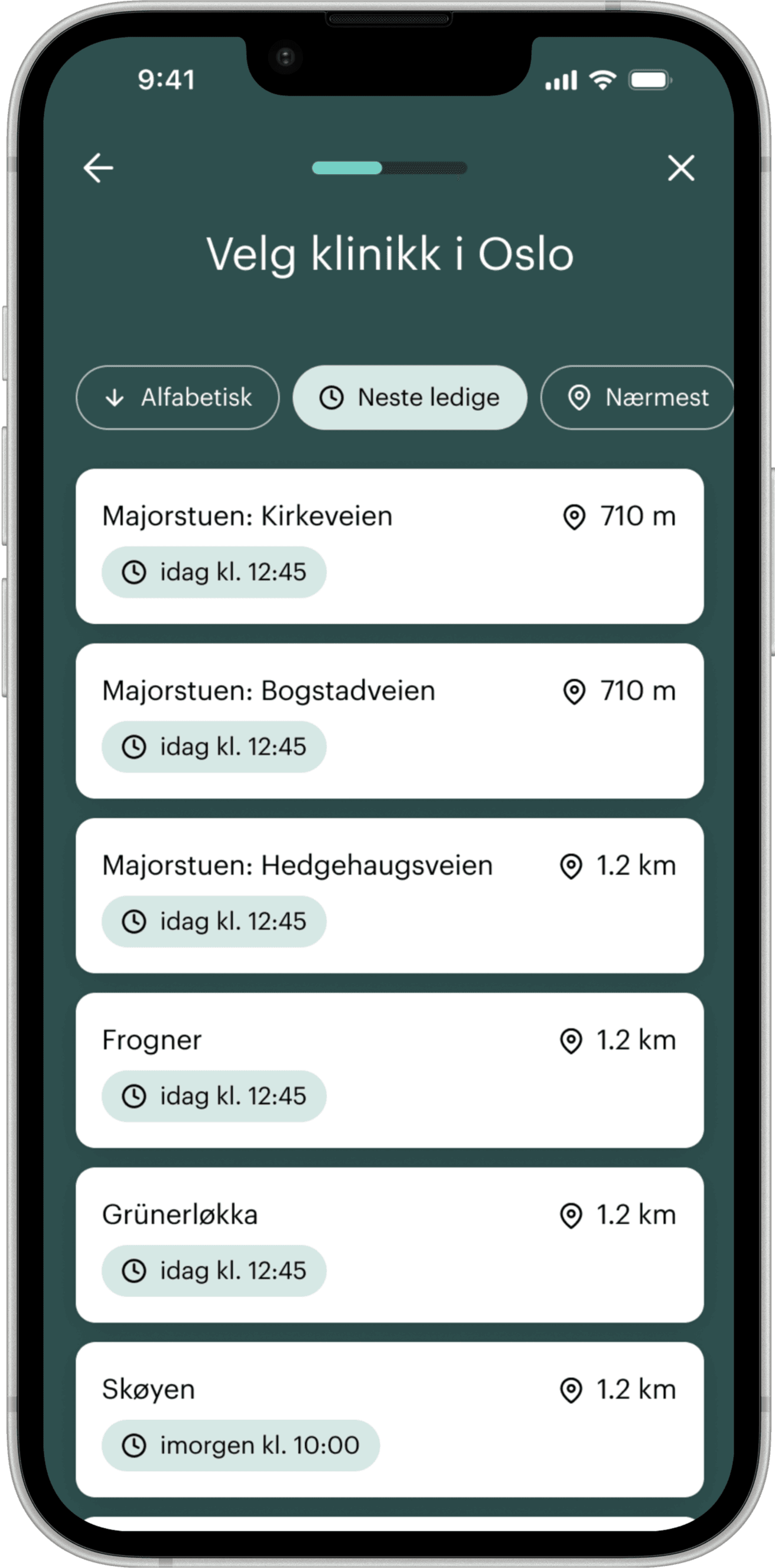
GP — first appointment
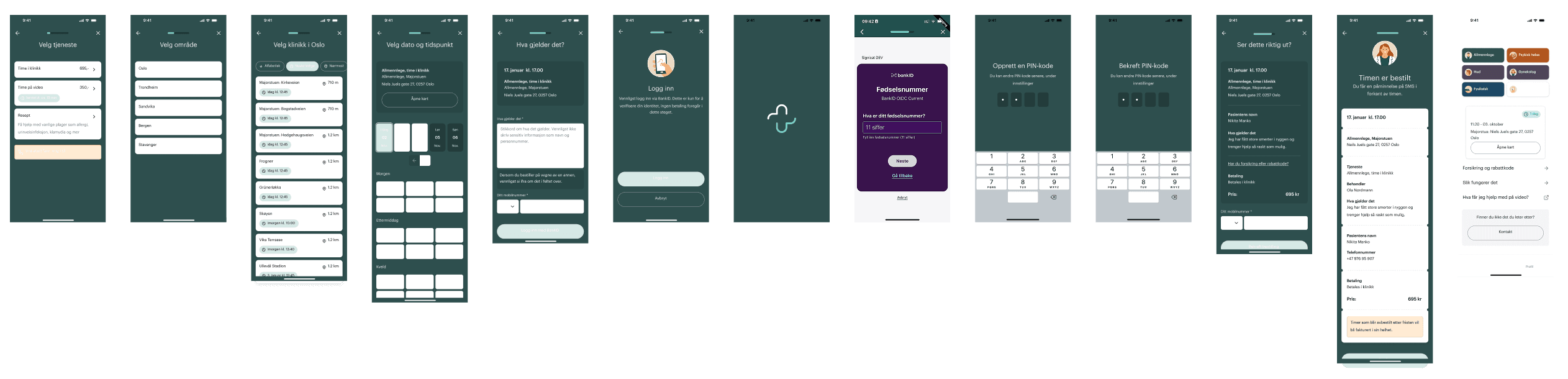
GP booking flow — Primary action reachable from the first screen, with clear step indicators and no dead ends
GP video — first appointment

Video consultation flow — Same structural logic as in-person, with video-specific steps surfaced only when relevant
Chiropractor — first appointment
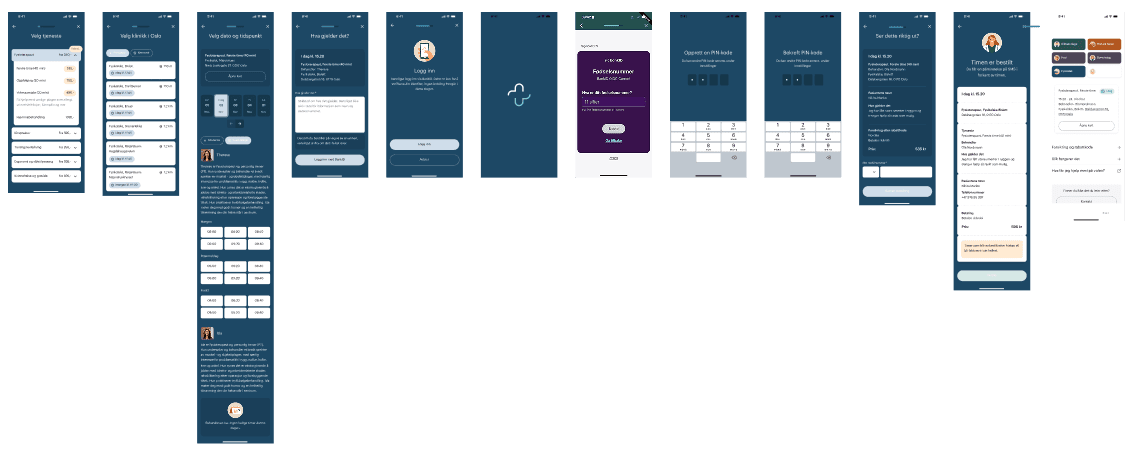
Chiropractor flow — Specialist booking adapted from the shared framework, with service-specific patient information integrated without adding steps